


Your clients
follow it all
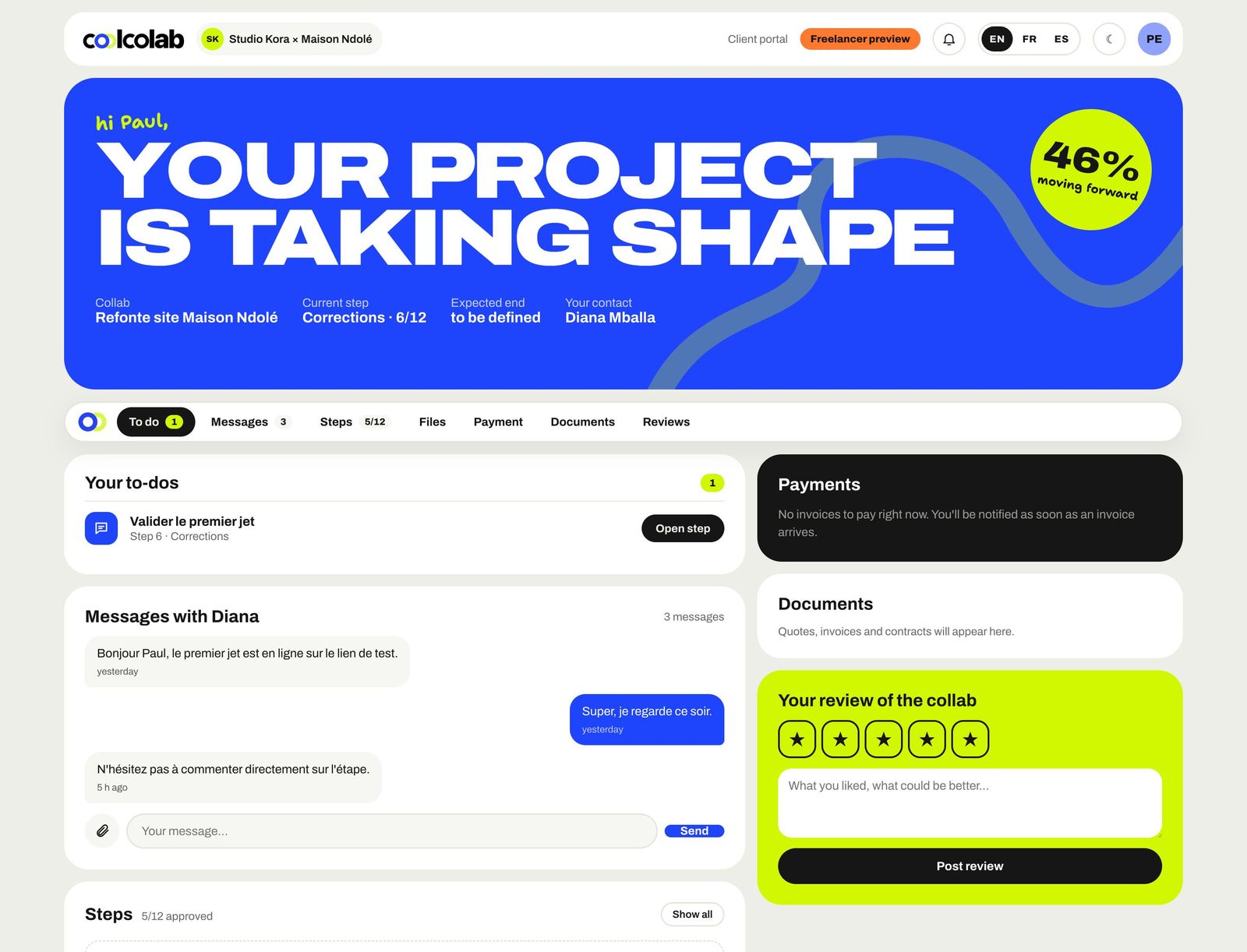
No more "so, how's it going?". Every client has their own portal: what's left for them to do, progress, files, documents to sign and invoices to pay.
A polished
client experience
No app to install, no password to remember.
They get a link
As soon as the collab launches, or when you send them a document.
They log in with a code
They enter their email and get a 6-digit code. That's it.
They follow and act
Steps, deliverables, comments, files, messages, signatures and payments.
They leave a review
At the end of the collab, their review can appear on your showcase page.
 62%Your website is taking shapeStep 7/12 · on schedule
She follows it all
from her phone
Progress, deliverables, documents to sign, an invoice to pay: your client has everything at hand, no account needed.
Crystal
clear
The progress percentage, the current step, the end date and the list of what they need to do: send feedback, sign, pay.
- "Your to-dos" always at the top
- Expandable steps with deliverables and comments
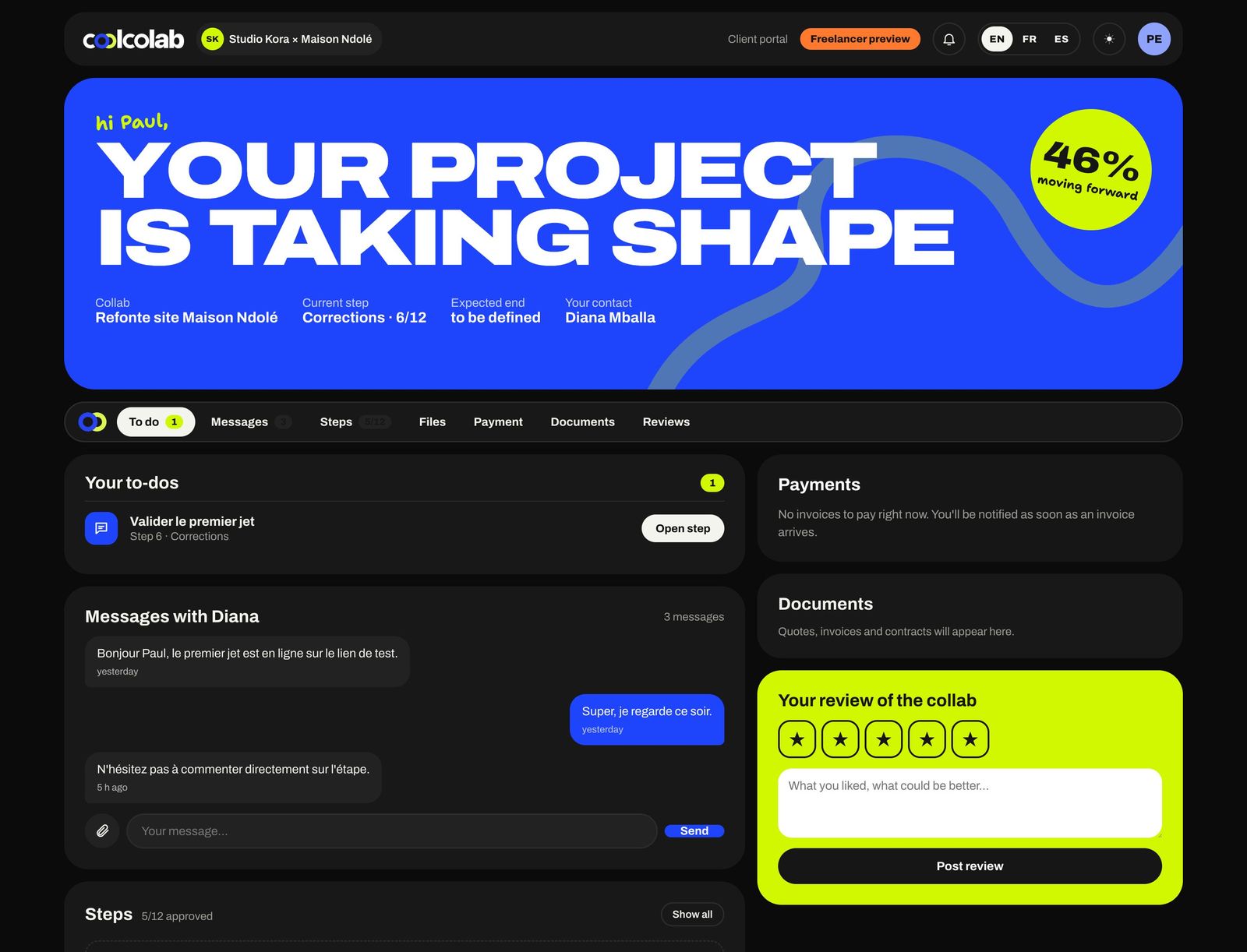
- Light and dark mode
Every word
in the right place
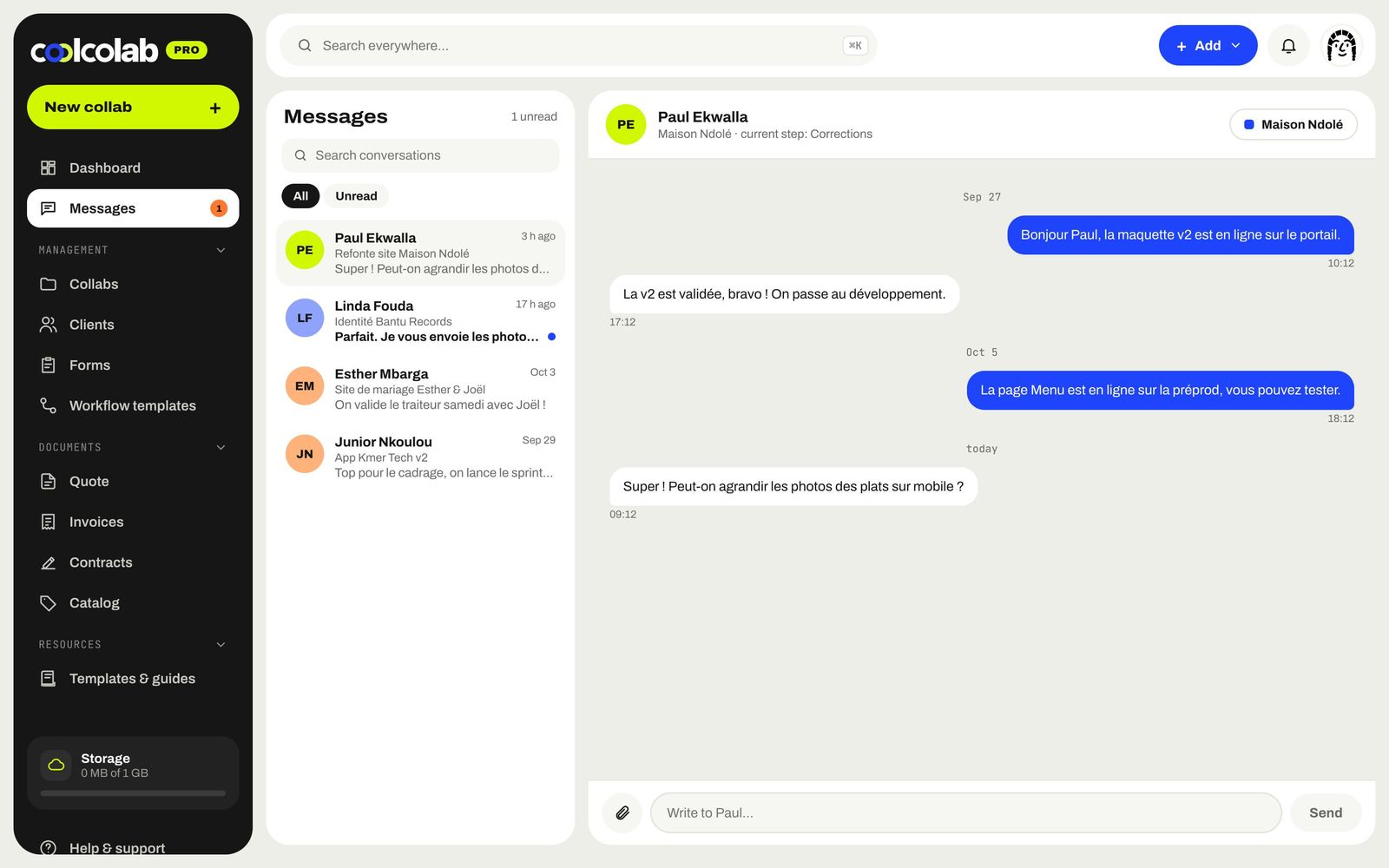
Comments on steps, messages with you, files dropped in by drag and drop: every exchange lands in your workspace and triggers a notification.
- Messaging linked to the collab
- File uploads up to 50 MB
- Notifications on both sides
Even at night,
it shines
The portal adapts to your client's preferences, day or night.
- Easy to read on mobile
- Built-in document viewer
- Print and PDF export
What your client
can do
Follow the steps
Progress as a percentage, current step, planned dates, expected deliverables.
Download & upload
They grab your deliverables and send you logos, copy and photos.
Comment & message
Feedback on a step or a direct message, without leaving the portal.
Accept & sign
Quotes accepted, contracts and delivery notes signed in two clicks.
Pay
An invoice to settle with the payment method of their choice.
Leave a review
A rating and a few words at the end of the collab, for your showcase page.
Does my client need to create an account?+
No. They log in with their email and a 6-digit code sent by email. No password.
Can my client see my other projects?+
Never. They only see the collabs shared with them, and only what you've made visible.
Can I see what my client sees?+
Yes, the "View as" button opens a preview of the portal exactly as your client sees it.
Is the portal in my colors?+
Your studio name and brand colors appear on the portal and on all your documents.
And also
All features →Step-by-step collabs
Every project becomes a collab: steps, deliverables, payments and a client who can follow it all.
Discover →Quotes & invoices
Quotes in 2 minutes from your catalog, invoices paid online, deposits, recurring billing and gentle reminders.
Discover →Contracts & e-signature
Collaboration contracts, copyright assignments and delivery notes, signed online.
Discover →Payments
Orange Money, MTN MoMo, Wave, card, bank transfer or PayPal: your clients pay however they like.
Discover →Brief forms
Send a link, the client answers, and their answers fill in your new collab.
Discover →Let's
collab?
Free for up to 3 collabs, no card needed. Your studio is ready in 2 minutes.