


They pay
however they like
Every invoice comes with a payment button. XAF, euros or dollars: your clients pay in their own currency, even for monthly maintenance.
From invoice
to account
You choose which payment methods are offered on each invoice.
You send the invoice
With the payment methods you accept ticked.
The client chooses
Orange Money, MTN MoMo, Wave, card, bank transfer or PayPal, depending on your settings.
They pay from their portal
A mobile money number or a card, and it's settled.
You get notified
The invoice switches to "Paid", your dashboard updates and you get a notification.
 F725,000 XAF receivedOrange Money · FAC-2026-014
She pays
in one click
Your client settles her invoice with Orange Money between two sales. You see the payment land on your dashboard.
Your money,
at a glance
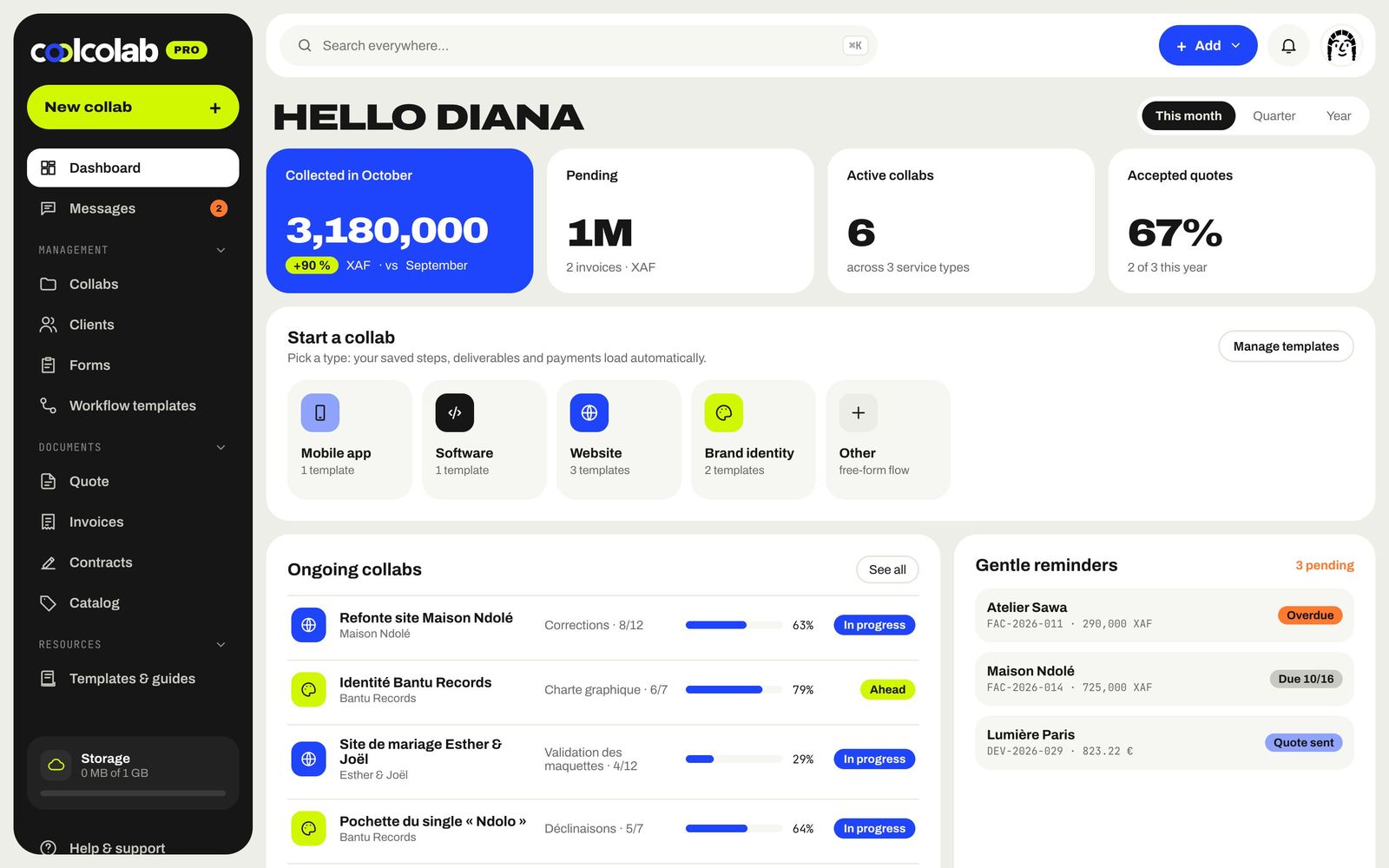
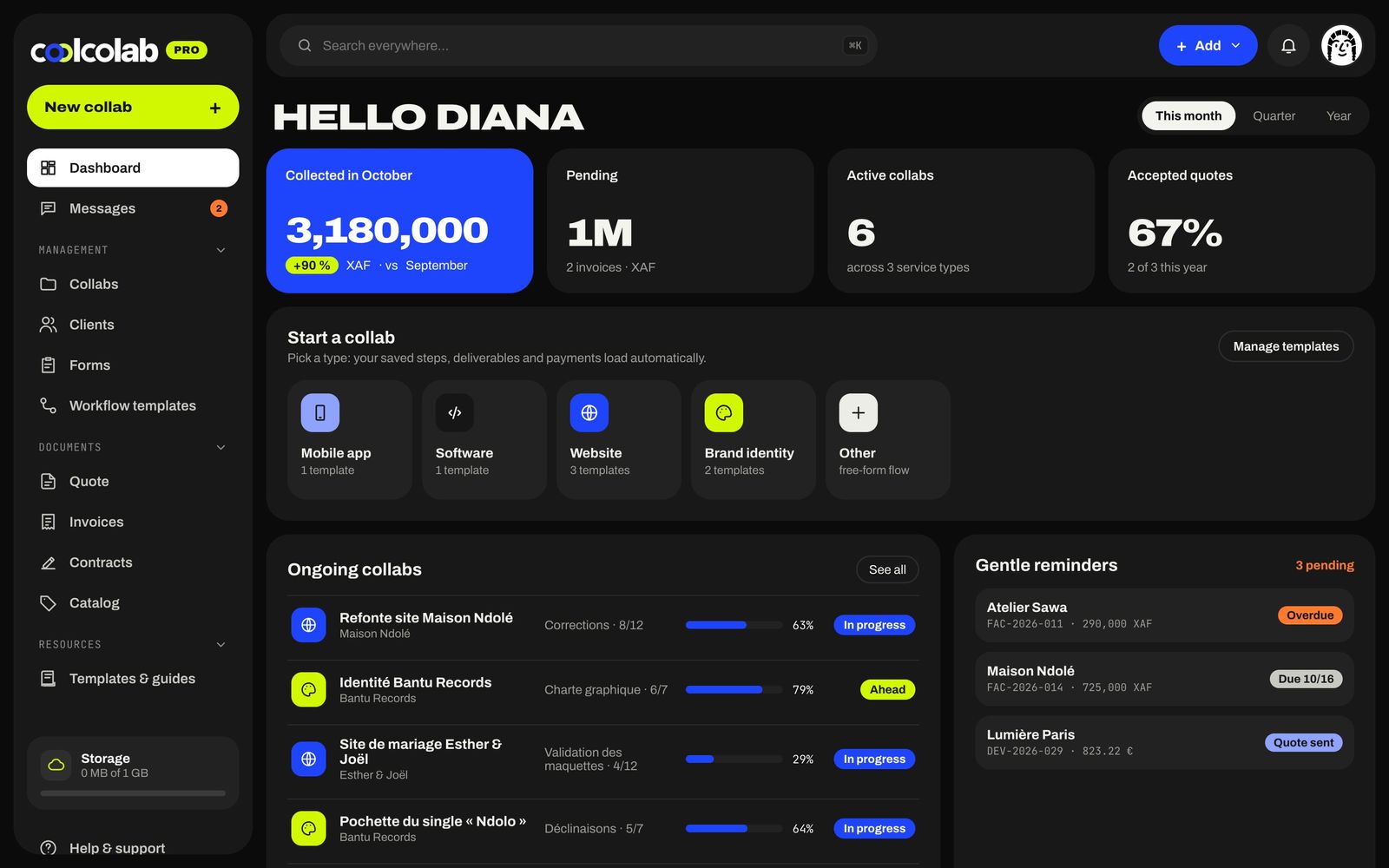
Collected this month and the trend, pending amounts, accepted quotes and revenue month by month.
- Collected and forecast
- Overdue invoices flagged
- Reminders in one click
One currency
per client
Turn on the currencies you need, set your default currency, and bill each client in theirs.
- XAF, EUR, USD, GBP, NGN, CAD
- Exchange rates displayed
- Payment methods adjustable per invoice
Payment
methods
Orange Money
Your clients' go-to in Cameroon, Côte d'Ivoire, Senegal and beyond.
MTN MoMo
Mobile payment from the client's number, no trip to the bank.
Wave
Fast and cheap, widely used in West Africa.
Bank card
For your clients in Europe, North America or larger companies.
Bank transfer
Your bank details on the invoice for NGOs and key accounts.
PayPal
Handy for the diaspora and international clients.
Which payment methods can I offer?+
Orange Money, MTN MoMo, Wave, bank card, bank transfer and PayPal. You choose the ones you accept in your settings, then invoice by invoice.
Can my clients abroad pay?+
Yes: bill them in euros, dollars or their own currency, and offer them bank card, bank transfer or PayPal.
How do I know when a payment comes in?+
The invoice switches to "Paid", the amount is added to this month's collected total on your dashboard and you get a notification.
Can I offer payment in installments?+
Yes, split an invoice into 2, 3 or 4 payments, or create a recurring invoice for maintenance work.
And also
All features →Step-by-step collabs
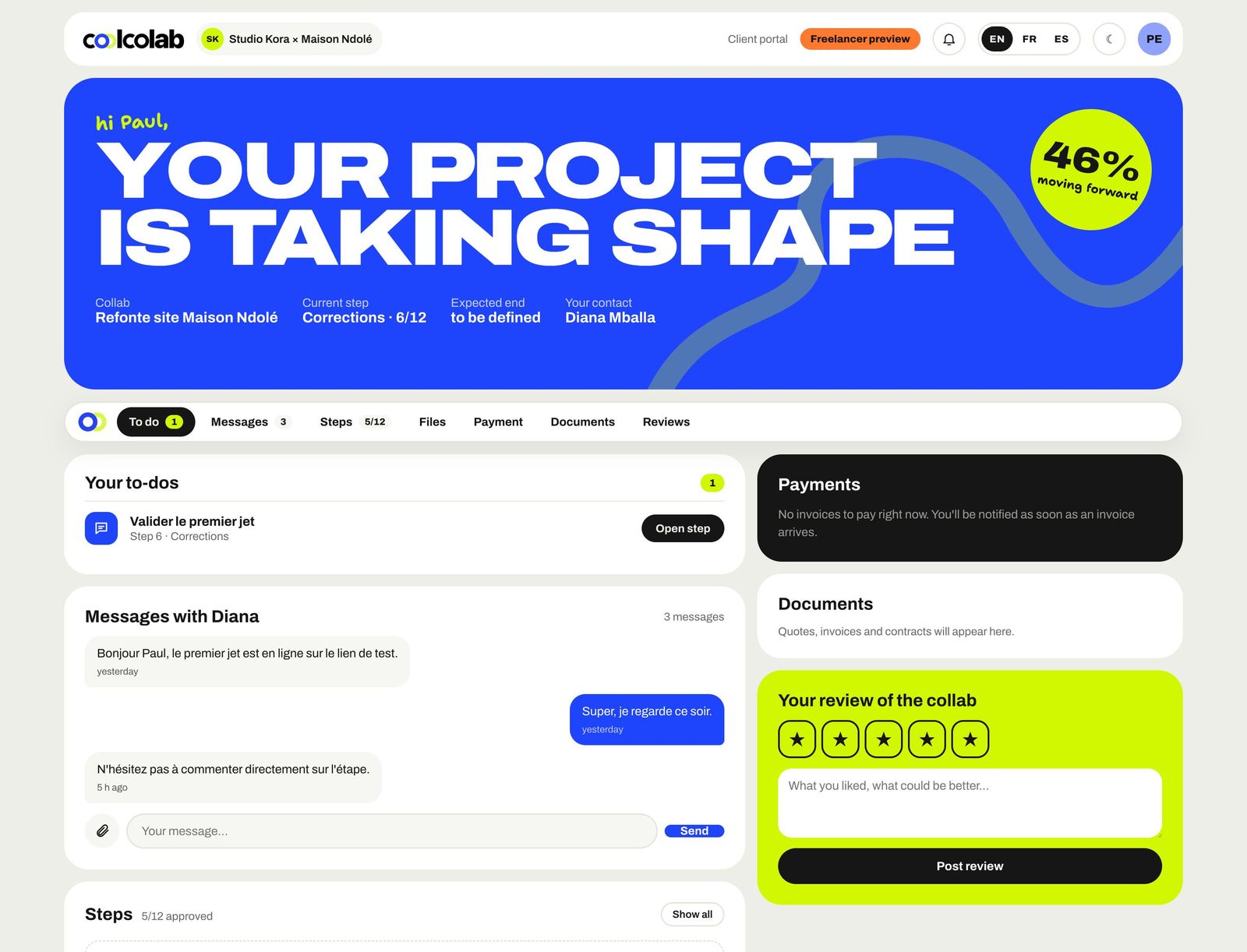
Every project becomes a collab: steps, deliverables, payments and a client who can follow it all.
Discover →Quotes & invoices
Quotes in 2 minutes from your catalog, invoices paid online, deposits, recurring billing and gentle reminders.
Discover →Contracts & e-signature
Collaboration contracts, copyright assignments and delivery notes, signed online.
Discover →Client portal
A space in your colors where the client follows the steps, downloads, comments, signs, pays and leaves a review.
Discover →Brief forms
Send a link, the client answers, and their answers fill in your new collab.
Discover →Let's
collab?
Free for up to 3 collabs, no card needed. Your studio is ready in 2 minutes.